Android · coming soon
Drink more water. Quietly.
Lido is a hydration tracker that logs a glass in one tap, shows you the week at a glance, and never asks you to make an account. Everything it knows stays on your phone.
- Free, no purchases
- No ads or tracking
- Works offline
Not a promise. A build setting.
Plenty of apps say your data is safe. Lido keeps drinks on your phone, has no account and no analytics — and every claim below is one you can check against the app itself before you trust it.
- Your drinks never leave
- Hydration history lives in on-device storage. There is no Lido cloud and nothing is uploaded. Internet access is only for optional in-app pages later.
- Four permissions, total
- Notifications for reminders, vibration for haptics, restart-after-reboot so your schedule survives a restart, and internet for optional in-app pages.
- No account, ever
- There's no sign-up, no email, no profile. You open the app and start logging water.
- No SDKs riding along
- No ads, no analytics, no crash reporting, no tracking. The only third-party code is Android's own Jetpack libraries.
Small app. Few taps. Honest numbers.
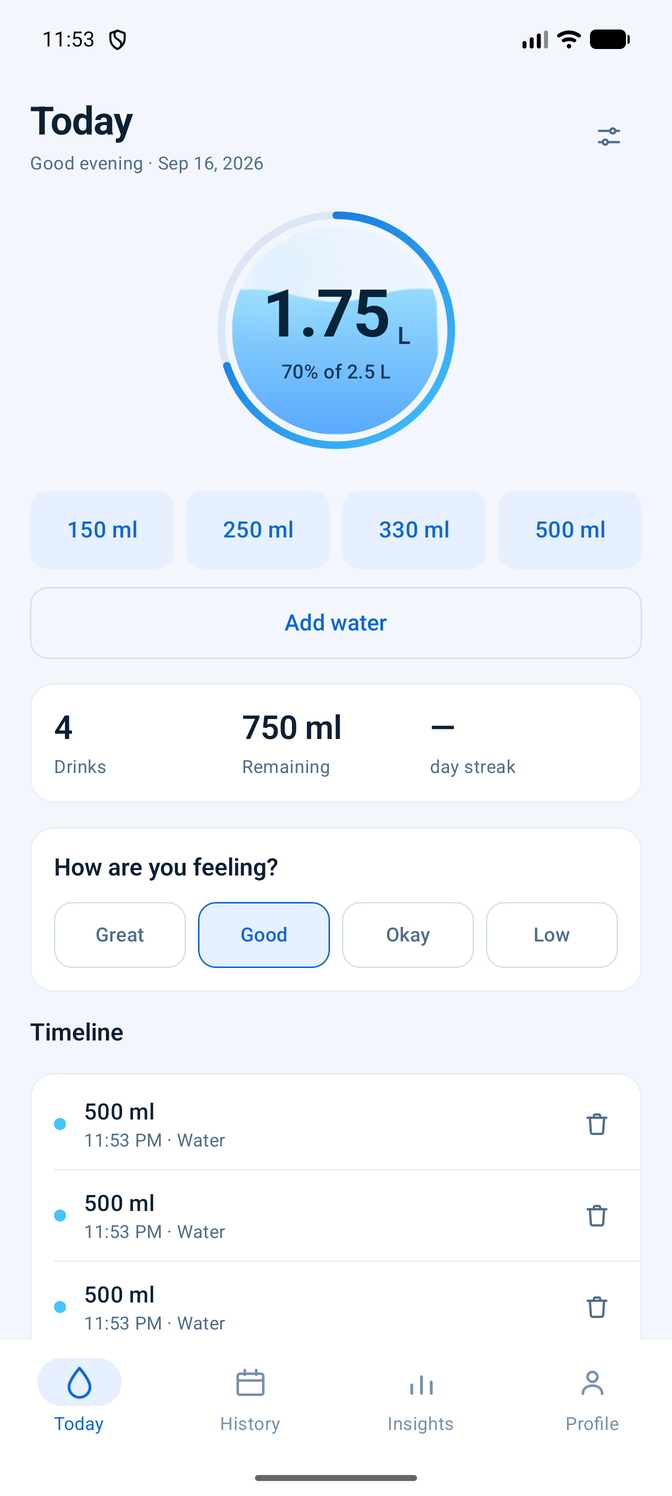
Four screens, and each one answers a single question: how am I doing today, how did the week go, what's the trend, and what would I like to change.
Logging a glass takes one tap
Your four most-used containers sit under the water level, ready to go. Tap one and the amount is saved before the animation has finished — with an undo in the snackbar if it was the wrong one.
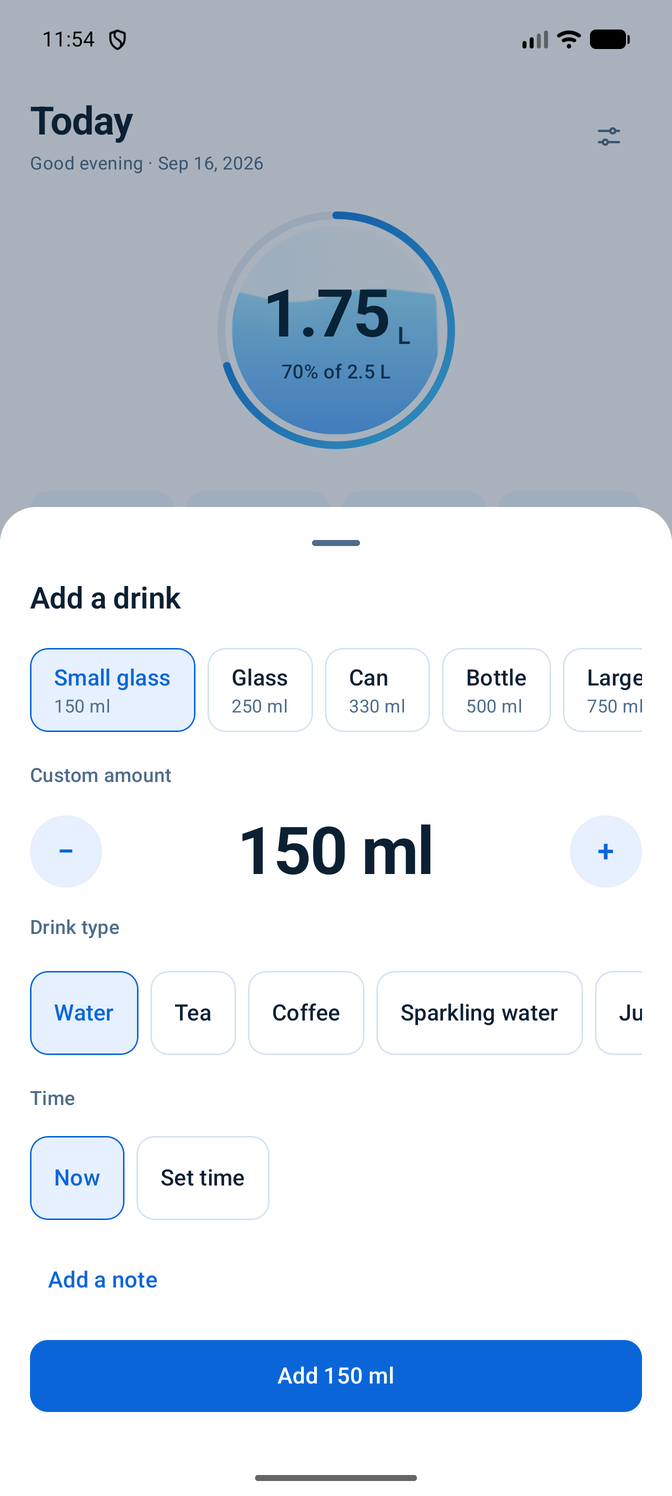
- Custom containers with your own names and sizes
- Drink types, if you want them — water, tea, coffee and more
- Log at a different time, add a note, edit or delete any entry
- Millilitres, litres or US fluid ounces
A month you can read at a glance
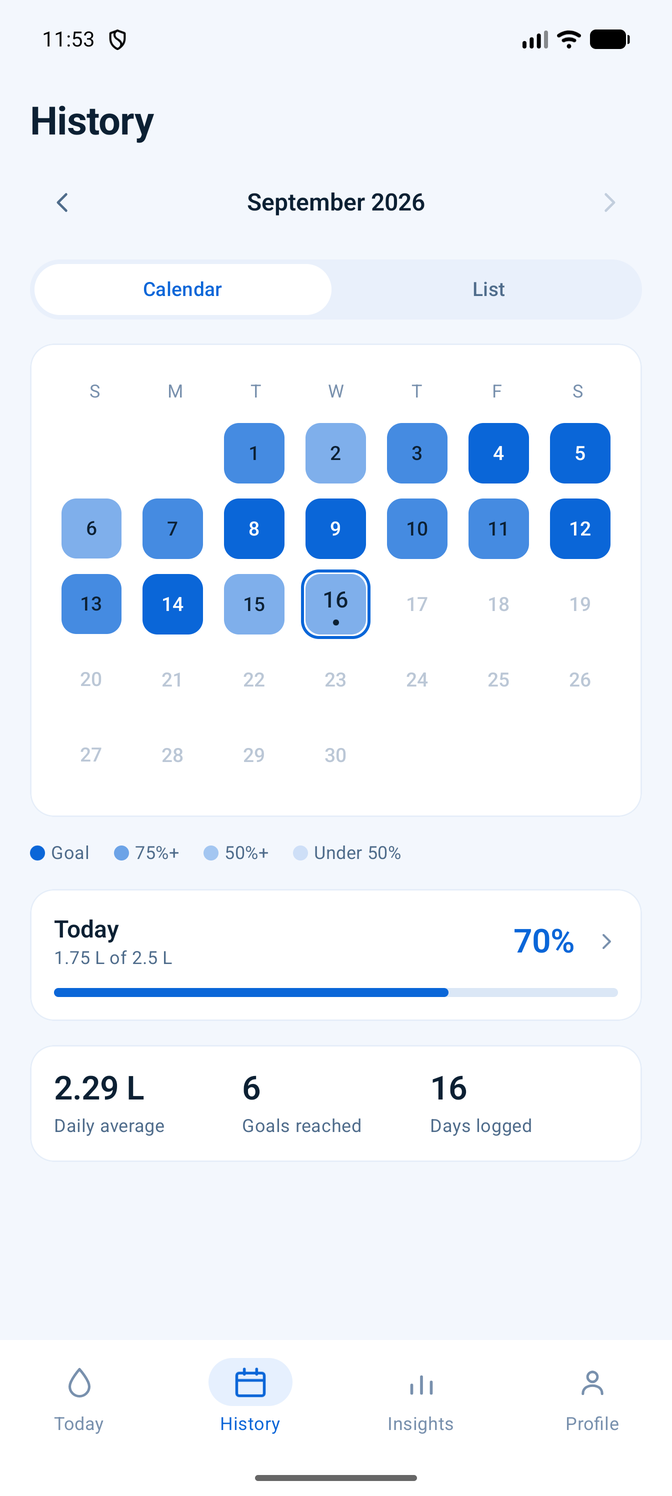
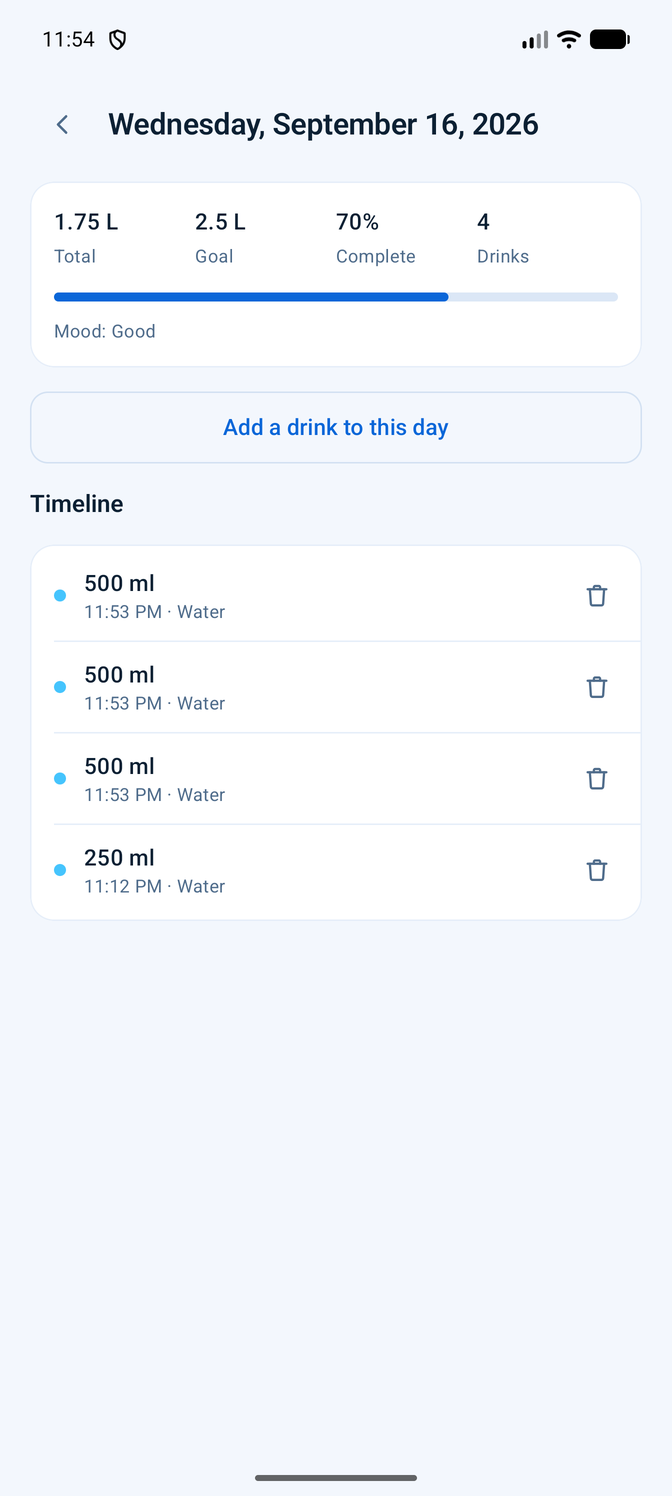
The calendar shades each day by how close you came, so a good stretch and a rough week are obvious without reading a single number. Tap any day to see what you drank and when — and to fix a day you forgot to log.
- Calendar or list, whichever you think in
- Each day keeps the goal it actually had, so raising your goal doesn't rewrite history
- Add or edit drinks on any past day
Trends, not a dashboard
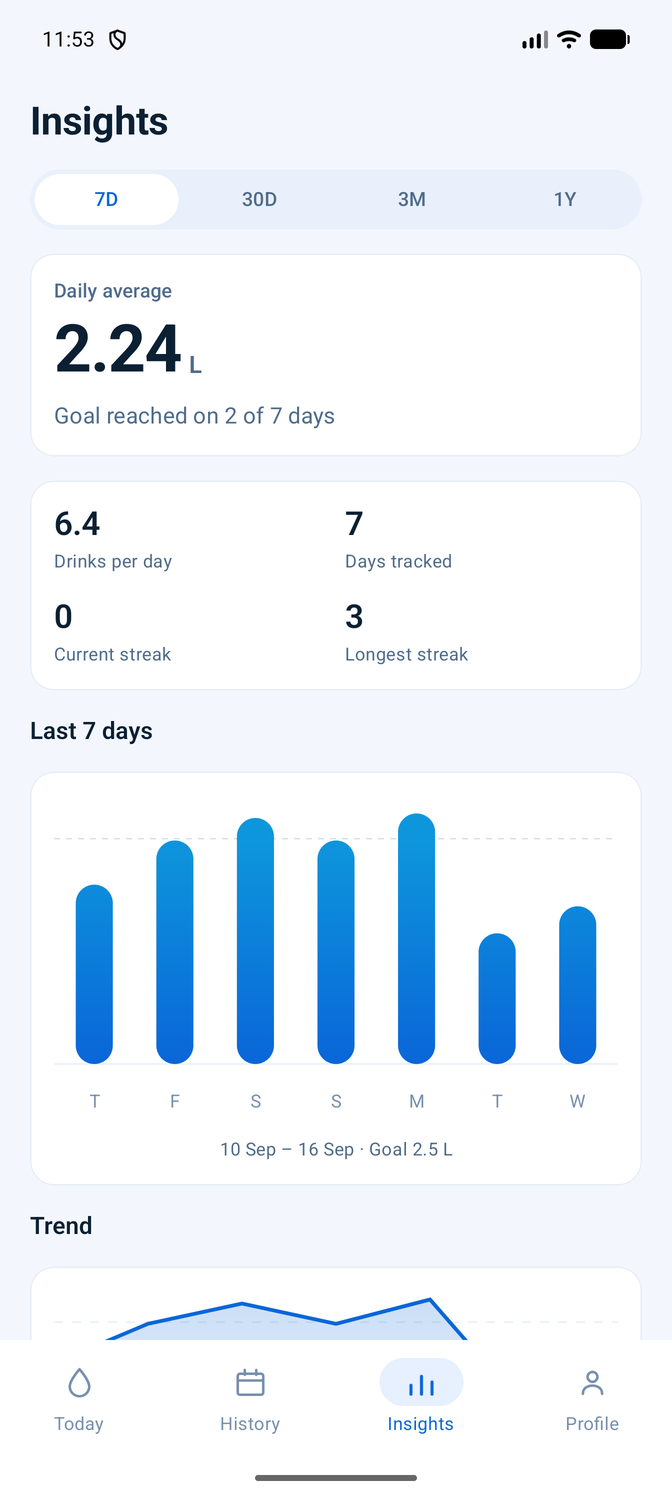
Seven days, thirty days, three months or a year. Lido leads with your daily average and how often you hit your goal, then shows the shape of it. Statistics you'd never act on don't get a card of their own.
- Daily average, days tracked, drinks per day
- Current and longest streak, and your best day so far
- Eight quiet achievements, no badges shouting at you
Reminders with manners
Pick an interval and the hours you're awake. Lido won't nudge you at 3am, won't nag if you say no to notifications, and explains what it wants before Android asks.
Home screen widgets
Two sizes. Both show where you are against today's goal, and the larger one logs a drink without opening the app at all.
Your data leaves when you say
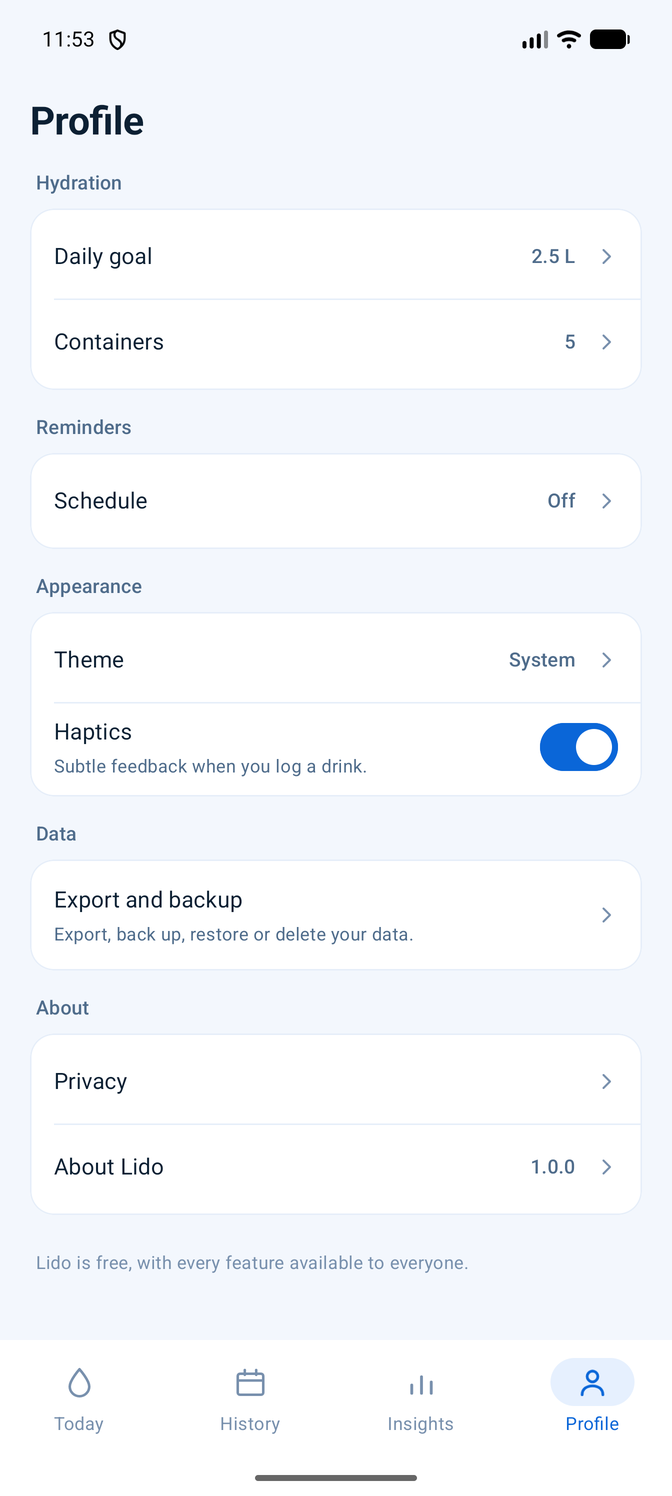
Export a CSV for a spreadsheet or a JSON backup of everything, restore it on a new phone, or delete the lot in two taps. The file goes where you put it.
Built for the phone you have
Light and dark themes, larger text sizes, TalkBack labels on everything, and layouts that use a tablet's width instead of stretching.
Quick, and quiet about it
Nothing animates when nothing is happening, so Lido sitting open costs your battery nothing. Taps are saved first and animated second.
Streaks that stay calm
A day count and a small mark for it. Reaching your goal gets a ripple and a haptic tap, once, and then gets out of the way.
Every screen
Real screenshots, nothing mocked up.
Questions people ask first
The rest are on the support page.
Is it really free?
Yes. No purchases, no subscription, no paid tier, no ads. There is nothing to unlock, and no feature is held back.
How do I move my data to a new phone?
Settings → Export and backup → Export a JSON backup, which writes one file wherever you choose. On the new phone, import it. Your drinks, goals, containers and settings come across.
Why is there no cloud sync?
Syncing would mean an account, a server and your hydration history sitting on it. That trade isn't worth it for a glass of water, so Lido gives you a backup file instead and never uploads your drinks.
Does it work with Health Connect?
Not yet. The app is built with a seam for it, but nothing is wired up, so Lido neither reads from nor writes to Health Connect today.
Lido is nearly ready
Version 1.0 is finished and being prepared for Google Play. There's no mailing list to join — check back, or watch the repository.
- Requires
- Android 8.0 or newer
- Version
- 1.0.0
- Price
- Free
- Permissions
- 4